
Merchant Access Platform (MAP)
Connect to Skipify MAP and deploy storefront AI agents like Ella
Skipify MAP (Merchant Access Platform) enables merchants to easily surface instant credentials at checkout, deploy storefront AI agents like Ella, and connect with third-party agent tools, through a platform built to continuously expand their e-commerce capabilities.
Ella's default name and avatar can be customized.
Overview
MAP serves as an agentic layer that abstracts complex AI orchestration to unlock extensible capabilities for merchants.
| Category | Extensibility |
|---|---|
Commerce | Instant payment credentials, network tokenization, installment payments, pay by bank , offers and loyalty , campaigns, credit application experiences |
LLM and AI Readiness | Generative Engine Optimization |
External Agents | Configure your third party agents to connect and interact with Ella |
Ella is an e-commerce agent designed to bridge conversational commerce with secure, identity-based checkout infrastructure.
Client-side, Ella delivers highly personalized experiences aligned with brand guidelines using specialized context modeling. Ella utilizes a state-machine architecture to manage complex, multi-turn interactions, enabling it to execute user intents, rather than simply answering questions. Ella has the capability to process payments on your behalf, using your existing payments processor.
Server-side, Ella seamlessly integrates into your existing technology stack, converting standard workflows into autonomous, agentic processes.
| Capability | Support |
|---|---|
Voice Mode | ✅ Shoppers can speak and hear the agent (STT + TTS) in the same session as text. |
Product Discovery | ✅ Semantic search, recommendations, product-detail-page (PDP) navigation, and guided highlights. |
Checkout | ✅ Add to cart and complete purchase through the agent. |
Order Support | ✅ Order status, returns, and refunds via OMS integration. |
Deployment Summary
Deploy Ella as a configuration-driven foundation to launch custom AI-driven actions at scale. The low-code system-to-system connection enables your team to securely connect existing APIs, workflows and establish business guardrails through standardized configurations.
Implementation framework:
OnboardingConfigurationthroughAgent Hub
Post deployment, Agent Hub provides continuous operational visibility through performance metrics and detailed analytics.
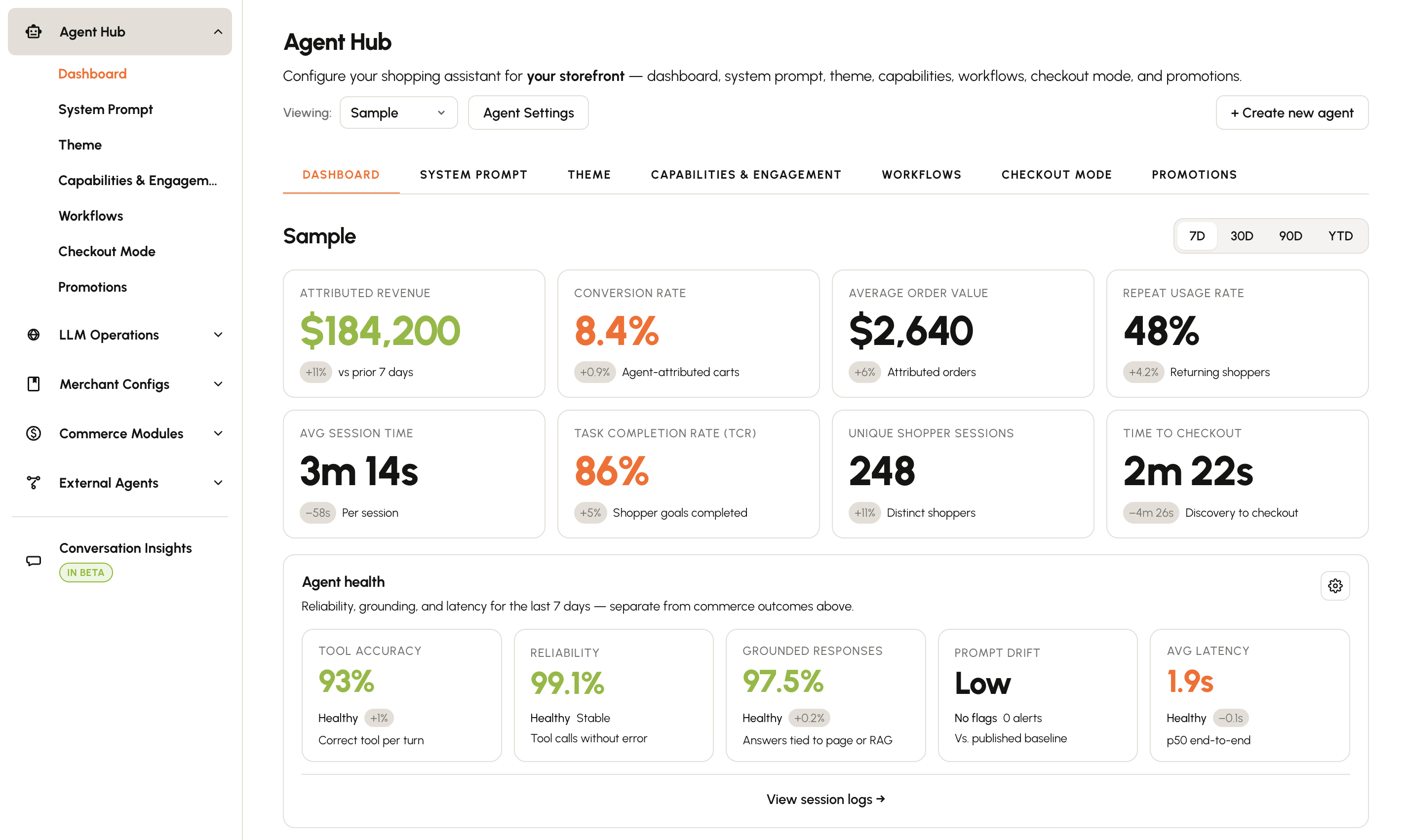
PrerequisitesA Skipify merchant account and access to the Ella
Agent Hubis required to proceed. Please contact your Skipify implementation engineer.
Onboarding an Agent
Agents are deployed through two primary onboarding methods that are initiated from the Agent Hub :
- E-commerce Platforms - Utilize our pre-built Shopify or Big Commerce extensions for seamless, plug-and-play onboarding.
- Custom Merchants - Onboard to your storefront by adding the below script tag directly to your website
<script src="skipify-agent.js"
mid="{your_skipify_merchantid"></script>
The following sections guide you through the final steps of agent configuration via the Agent Hub .
Learn how to configure and customize your agent.
Manage generative engine optimization (GEO) for your brand.
Learn how to connect your agent to your brand and site information, and enable credit access for shoppers.
Learn how to configure payment experiences and intelligence for your agent.
Learn how to setup your storefront agent to interact with other third-party agents.
Conversational Insights
Insights Dashboard coming soonPreview what your customers are asking about, and review their shopper journeys.
Playground
Playground coming soonYour implementation engineer with partner with your team during the playground evaluation phase.
Use the Skipify Merchant Portal Playground to preview, test, iterate and refine Ella ahead of deploying live in a risk-free environment. Any changes made here are isolated from your live shoppers, allowing you to experiment with personas, knowledge retrieval, and tool execution without impacting your store’s performance.
Playground Testing
We recommend validating the following scenarios before moving to production:
- Persona Consistency- Adjust Ella’s "Tone" settings and verify that it speaks in your brand's voice.
- Knowledge Retrieval- Ask Ella complex questions based on your uploaded Knowledge Base to ensure it is pulling the correct information (and not hallucinating).
- Tool Execution - Simulate shopping interactions (e.g., "Check my order status," "Return this item") to ensure Ella correctly syncs with your native store architecture
- Edge Case Handling - Test how Ella handles "out-of-scope" queries. Ensure she gracefully pivots to human support rather than attempting to answer questions she doesn't know.
Best practices:
- Simulate Real Users- Avoid just typing "Hello." Ask the types of questions your support team gets daily.
- Compare Responses - If you change your "Proactivity" settings, run the same test scenario twice to observe the difference in interaction style.
- Coming soon ---- Use the "Evaluation" Mode - If available, use the built-in evaluation tools to run a batch of dataset questions and verify that Ella’s responses meet your quality standards.
Updated about 2 months ago