
Agent Hub
Learn how to configure and customize your agent
Your agent is a natural extension of your brand. You can tailor the appearance, persona, and communication style to seamlessly align with your brand identity.
Whether you want a sophisticated, concierge-style voice or a friendly, conversational approach, simply configure the agent's settings in the Agent Hub to ensure every interaction reflects your unique brand voice.
Agent Hub
Agents
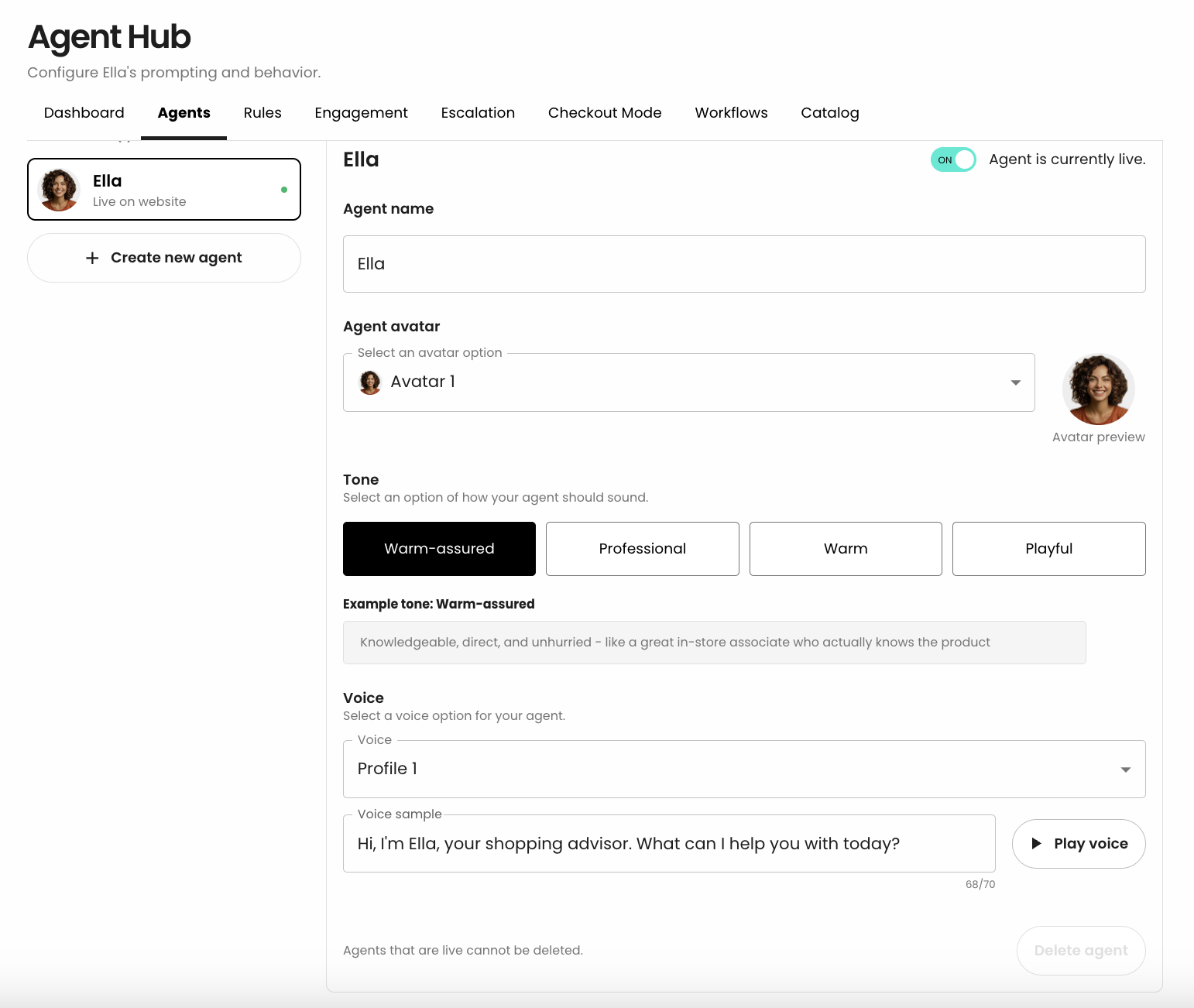
Fully customize your storefront's agent interface to match your brand identity.
Agent name- Customize your agent's visual identity and
avatarappearance - Configure the agent's
toneto customize how they sound - Set up a custom agent
voicefrom the voice library
Rules
Configure agent interaction settings to control how your agent communicates.
-
Brand vocabulary: uses site specific storefront terminology or universal language -
Formality(1-5) from casual and playful to refined and elevated -
Message Length & VerbositySelect how concise or detailed the agent's responses should be -
Greetings & Prompts: configure the agent greeting and up to 3 button prompts which are displayed when a conversation begins -
Pronounciation guide: configure words that your agent should pronounce in a specific way i.e.: brand and product names, etc -
Product display: configure whether products are presented to shoppers asin-chatorfull-page takeover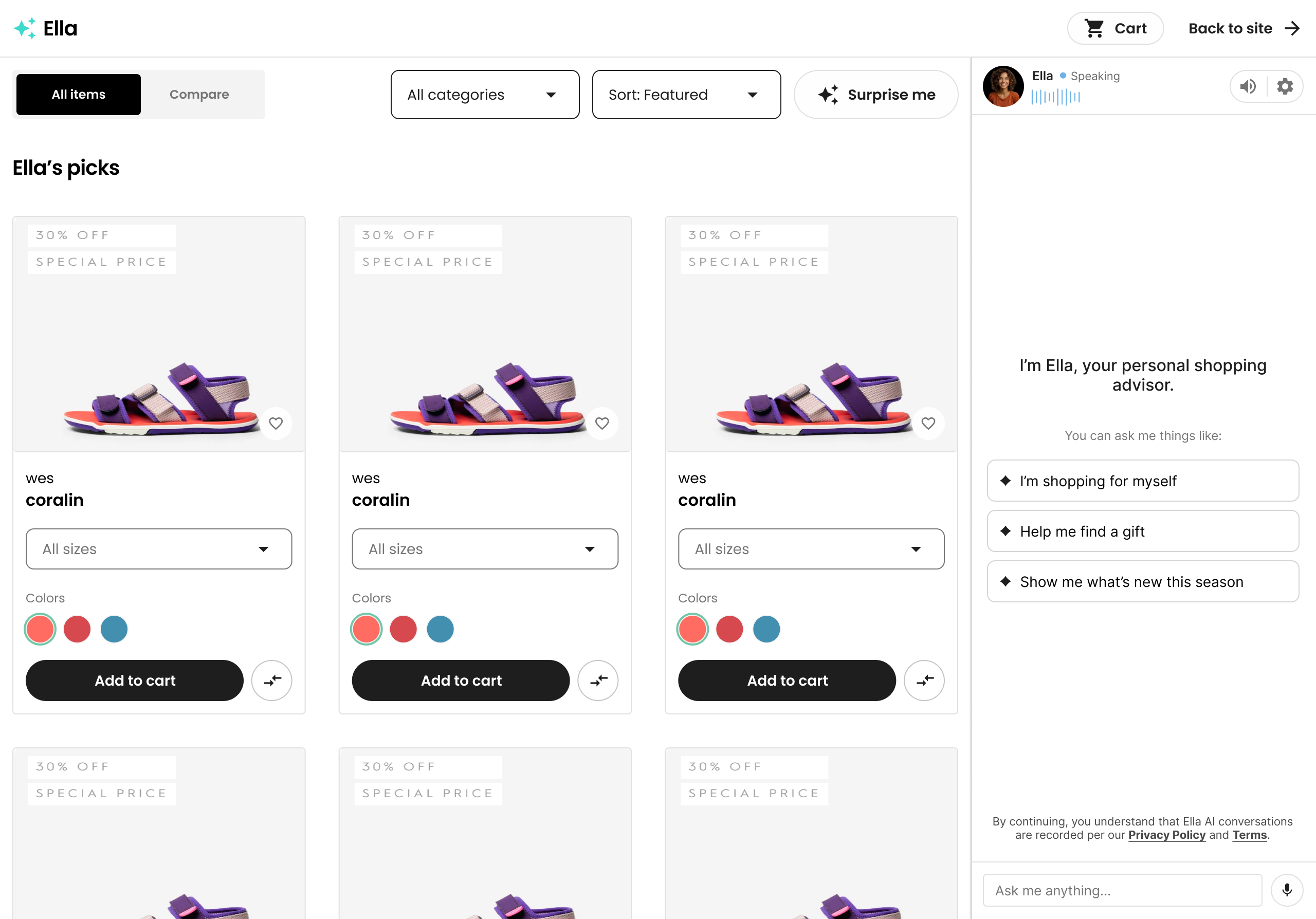
Full-page takeover view
Engagement
Control and refine the overall agentic engagement style.
- Configure the
Widget positionpixel offset from the bottom-right corner of the viewport Intrusivenesscontrols how proactive the agent is when initiating conversationsUpsell posturesets the tone your agent uses when suggesting add-ons or upgradesConfidence posturesets how definitive your agent sounds when answering questions or making recommendationsProactivenesssets how readily your agent initiates a conversations based on browsing signals
Escalation
Control escalation guardrails and configurations.
Escalation thresholdsets the monetary amount above which will trigger certain conversations to be escalated to a human agent.Operating hoursdefine when human support is available for escalations: 24/7, standard business, extended retail, weekends only, by appointment.Instructionconfigures the instructions the shopper receives when escalating: contract link, email support team, call support phone, your team will followup via email.Contact DetailsDefine thephone,emailand/orcontact URLfor escalations.
Support
Control support and help center configurations.
-
Support moduleenables the shopping agent to answer questions covered by your help center, and additionally files help desk tickets. Requires a connected help desk (currently supports Gorgias) -
Help center answersthe shopping agents answers questions from your help center or knowledge base. When the agent cannot find an answer, they provide the shopper with your escalation contact. No help desk needed. -
Helpdesk connectionConfiguration of your helpdesk account (currently supports Gorgias)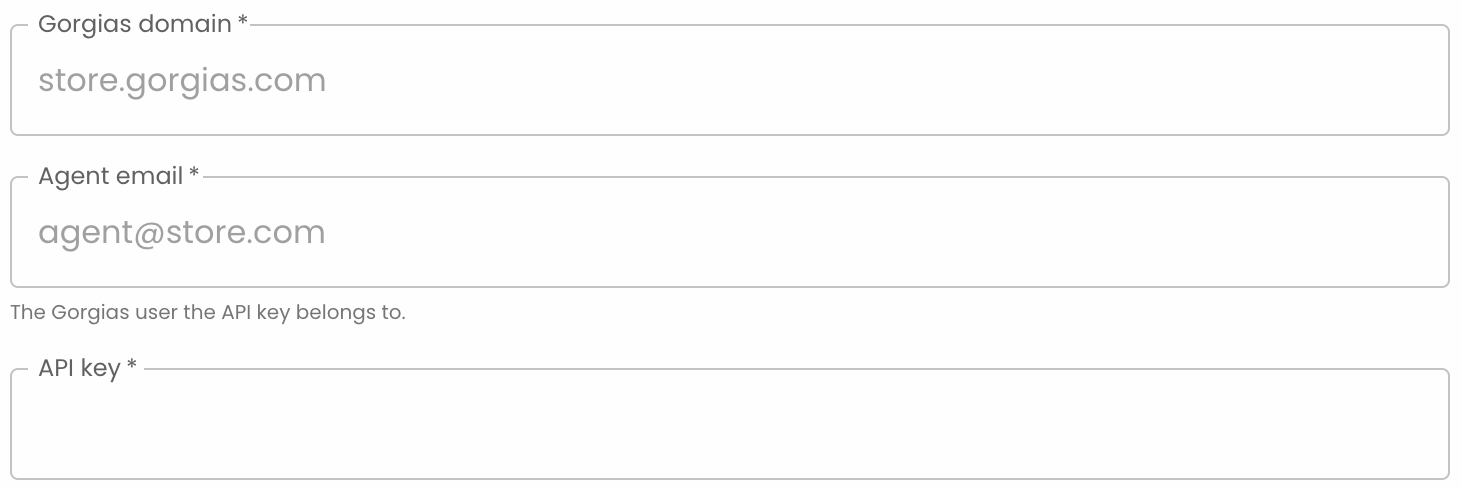
Checkout Mode
Configure checkout as:
-
Inline checkoutin the widget -
Handoff to your native checkout pagewith optionalHandoff URL
Workflows
Behavioral Workflows
Create and manage custom rules the agent applies in shopper conversations.
Add knowledge they cannot infer on their own such as quirks, current offers, what to ask. Written like guidance for a great in-store associate.
The agent follows each rule when it's relevant (e.g. “always mention free 30-day returns at checkout”). Toggle a rule off to pause it without deleting it. You can set a maximum of 50 rules.
Updated 9 days ago