
Merchant Portal User Management
Learn how to manage users for your merchant account(s).
Users who are granted access to a merchant account are automatically granted permissions to any existing, underlying, or child merchant accounts.Learn more about merchant account hierarchy here
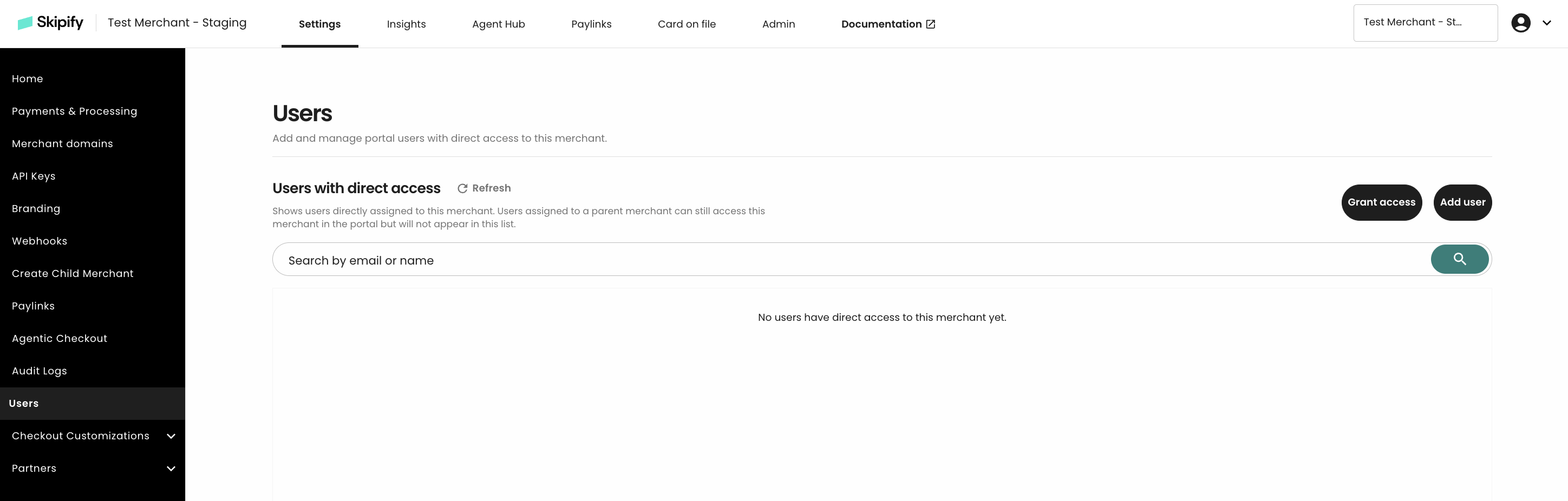
View direct Users for a merchant account
Navigate to a specific merchant account's Settings > Users to review users that have direct access to that account, or access that is assigned specifically to this merchant account.
Note that users who have access to any associated, higher level accounts will not appear on this list. These users automatically granted access to the lower level accounts through merchant account inheritance. Navigate to the higher level account to view and manage these users.
Organization Owner
Users with Organization Owner access can manage users for their merchant account(s) directly from the Skipify merchant portal, through the top panel Admin section.
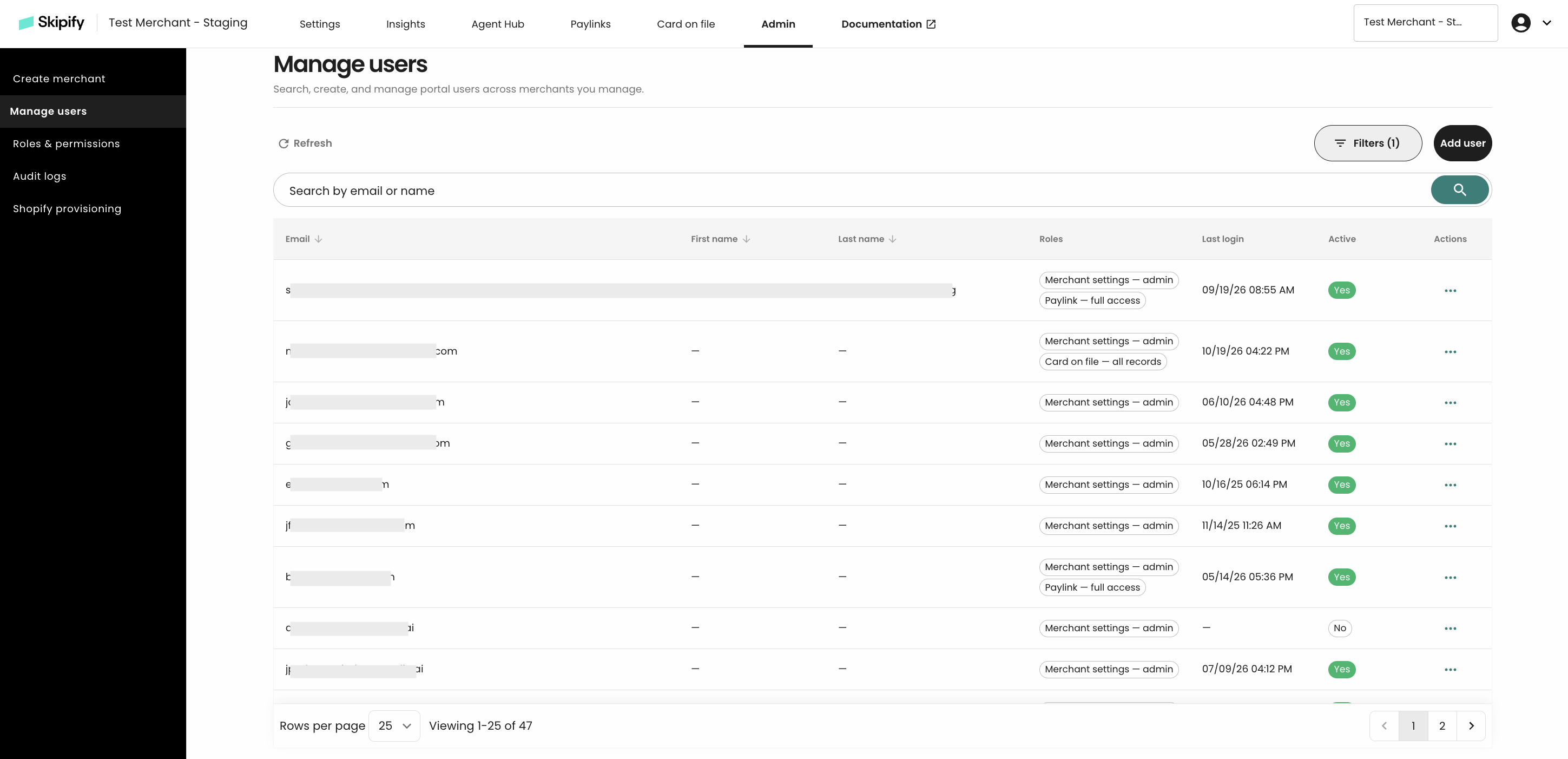
Manage Users
The Organization Owner access role can complete the below actions to manage users:
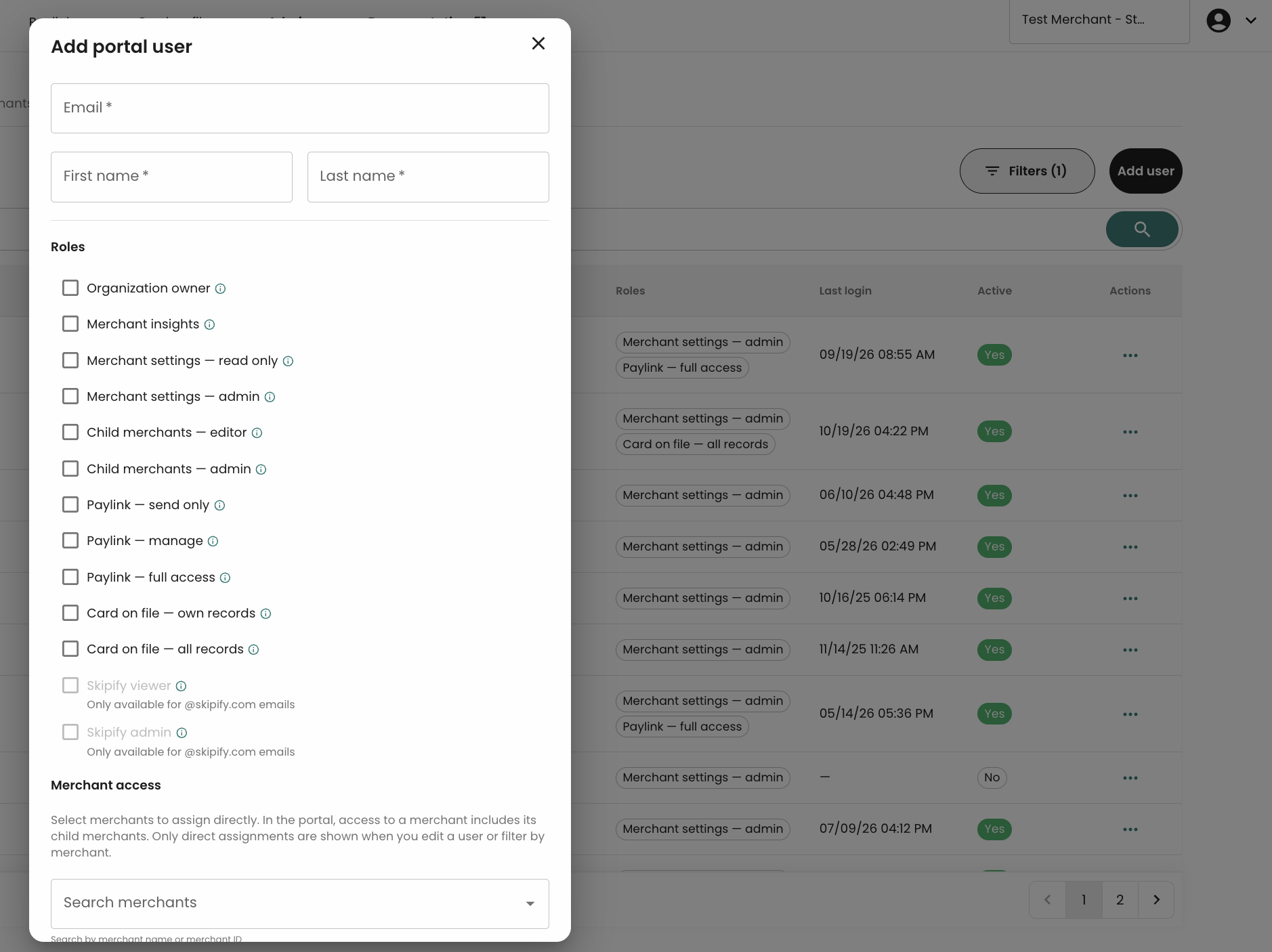
Add usersto their organization. A email is sent to the user's email upon account creation, requesting password reset (expires in 5 non-business days).Assign rolesto control user(s) permissionsGrant accessto any merchants that theOrganization Ownerhas access toEdit,Send password reset emailorDeleteusers
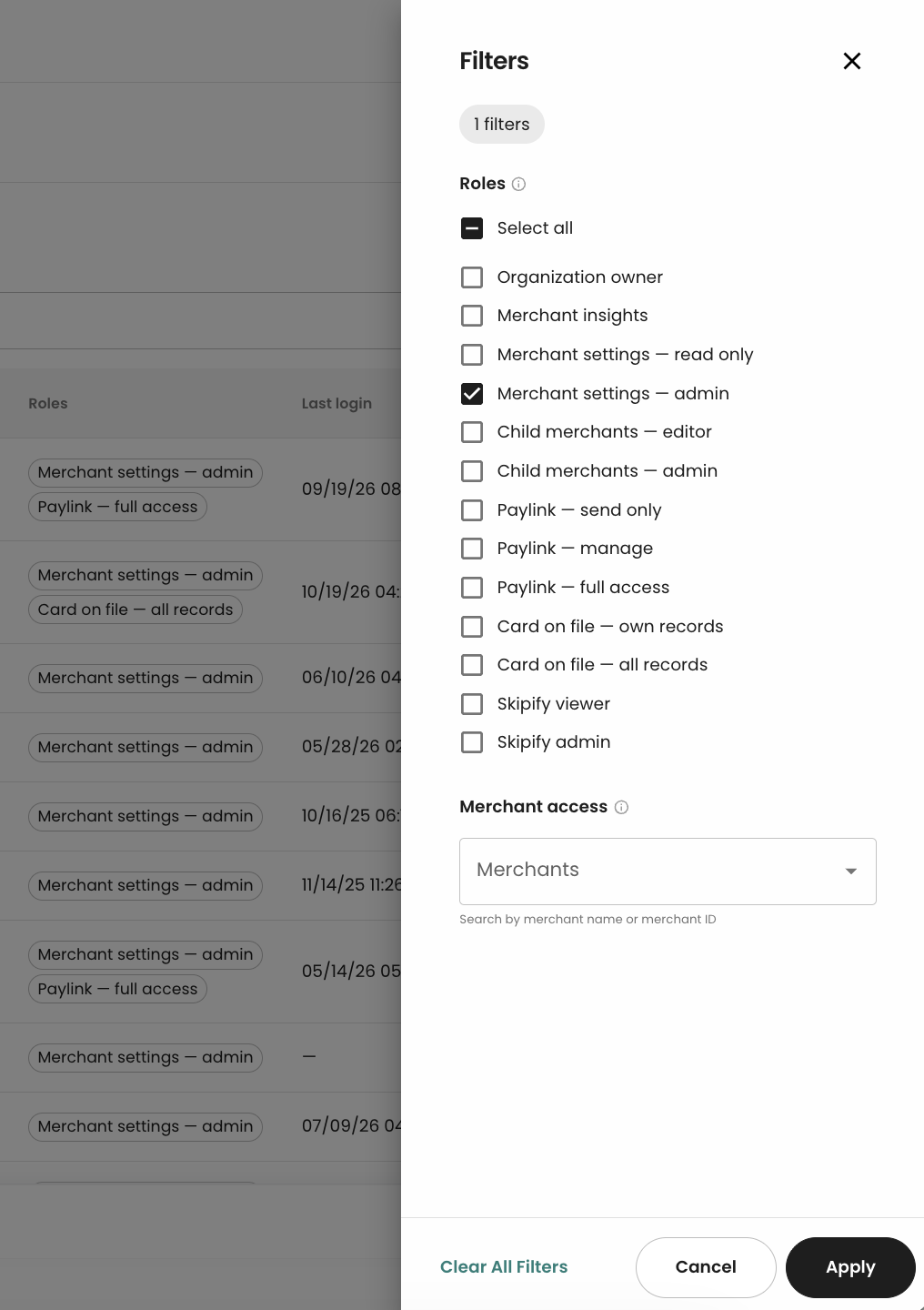
Finding and Filtering Users
Organziation Owner can locate specific users in two ways:
- Use the text search to find users by email or name
- Use the built-in
Filterspanel to filter by roles, merchant access, and other criteria
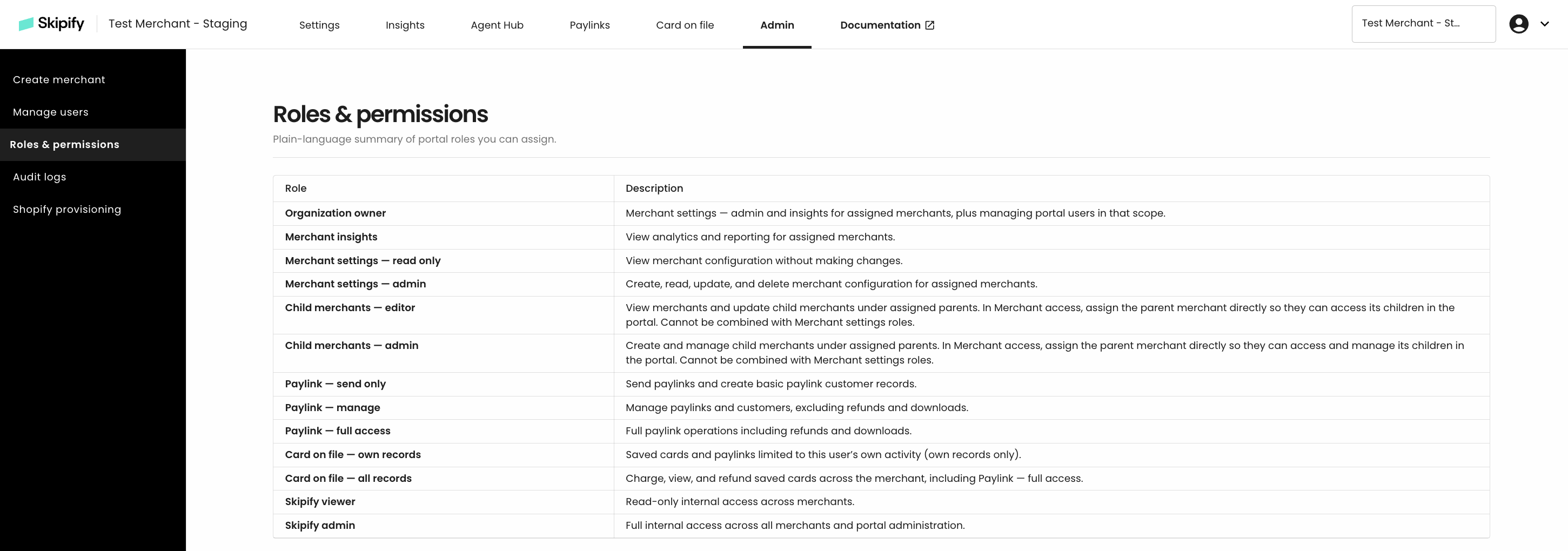
Roles & permissions
User roles & permissions can be reviewed from the merchant portal
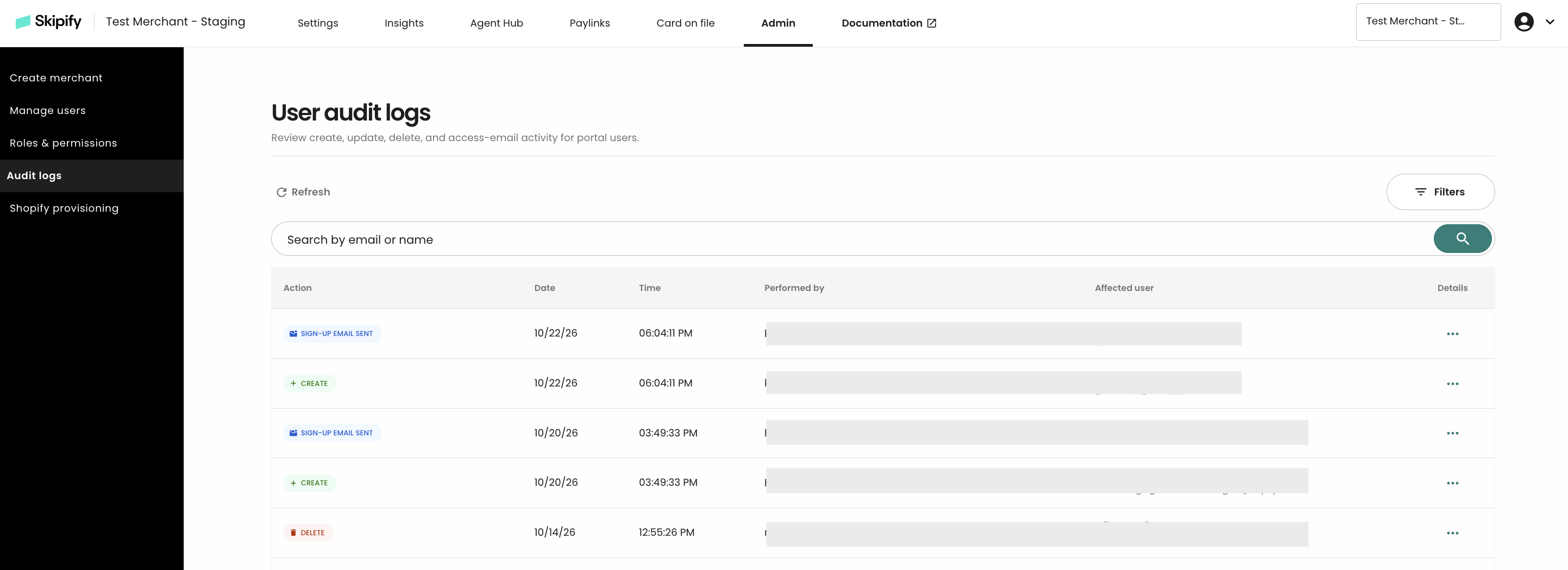
Audit Logs
The merchant portal includes built-in audit logs for your organization, enabling Organization Owner(s) to review all user-related activities.
Updated about 6 hours ago